
Hands-On Review: Acronis True Image 2026 Backup and Security in Action
As a tech enthusiast who values robust data protection, I recently evaluated Acronis True Image 2026 using detailed logs from a real-world setup. Building on a previous review that highlighted its user-friendly interface and comprehensive features, this analysis focuses on the backup process, method, validation, and cloud replication, with insights from the Active Protection Service and Notarization logs. I’ll also provide practical suggestions for everyday users, incorporating the 3-2-1 backup system and the grandfather-father-son strategy for reliability.
System Requirements and Review PC Compliance
| Component | Acronis True Image 2026 Requirement | SAHAFIUN-PC Specification |
|---|---|---|
| Operating System | Windows 10/11 (64-bit) | Windows 11 Home, Build 26100 |
| Processor | 1 GHz or faster, x64-based | Intel® Core™ i7-13620H, 10 cores @ 2.4 GHz |
| RAM | 4 GB minimum | 16 GB installed, 15.7 GB usable |
| Available RAM | Not specified | 7.53 GB (current usage high) |
| Virtual Memory | Not specified | 33.8 GB total, 16.7 GB available |
| Disk Space | 1.5 GB for installation | Boot device: 1 TB Backup Storage: 2TB |
| Display Resolution | 1024×768 minimum | 1920×1080 @ 100Hz |
| Graphics Adapter | Not specified | Intel® UHD Graphics with 2 GB VRAM |
| System Type | x64-based PC | x64-based PC |
| Secure Boot | Recommended | Enabled |
| Virtualization | Optional | Virtualization-based security running |
| Internet | Required for activation/cloud features | Ethernet + Wi-Fi 6 + Bluetooth available |
| PC Name | — | SAHAFIUN-PC |
The Backup Process: Efficient and Automated
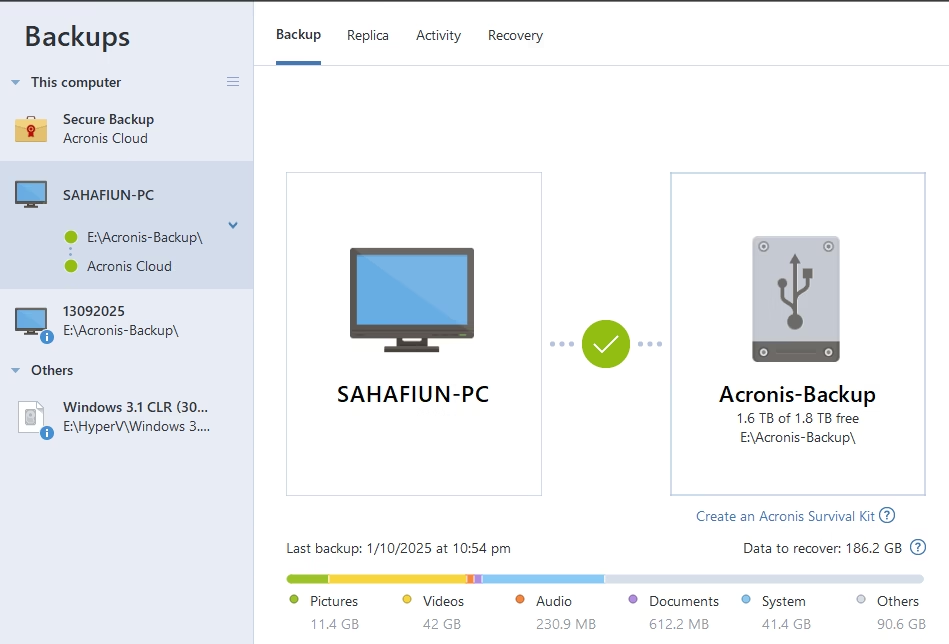
The backup activity log shows a seamless, automated process initiated manually or by schedule. On 10/01/2025, a full backup of the system “SAHAFIUN-PC” began at 10:35:56 PM and completed by 10:57:23 PM, taking 21 minutes and 27 seconds. It processed 70.7 GB of data at an average speed of 514.4 Mbps, with 18.2 GB marked for recovery if needed. A replication operation on 10/02/2025, starting at 7:00:44 PM and ending at 9:11:13 PM, took over two hours. This indicates Acronis handles incremental updates efficiently after initial full backups, ideal for large datasets with minimal user intervention. The logs report no errors, reflecting reliable performance on a Windows 11 system with multiple disks and partitions detected seamlessly.
Method of Backup: Full and File-Level with Notarization
Acronis employs a “Full” method for the initial backup, creating a complete image in .tibx format stored locally (e.g., E:\Acronis-Backup). For secure backups, it supports file-level operations with notarization, as seen in the notarization log. On 10/02/2025 at 10:09:15 PM, a “Secure Backup” operation enqueued numerous files, such as PDFs, images, and databases, for notarization, completing in just over a minute. Another notarized backup on 03/10/2025 at 5:23:27 AM took 31 seconds with no new data backed up, showcasing efficiency in differential scans. Notarization ensures file integrity via blockchain-based verification, ideal for professionals handling sensitive documents like contracts; however, it requires an internet connection to Acronis’ cloud (e.g., cloud-rs-sg1.acronis.com), which may introduce slight latency offline.
Validation Process: Thorough and Repeated
Validation is a key strength, with the log showing multiple successful checks. After the initial backup on 10/01/2025, validation ran at 10:57 PM and again at 11:51 PM, both succeeding in under three minutes. A scheduled validation at 11:49 PM took 2 minutes and 39 seconds. These checks confirm backup integrity, ensuring restorability. Repeated validations build confidence, critical for disaster recovery scenarios, preventing issues with corrupted backups.
Cloud Replication: Seamless but Time-Intensive
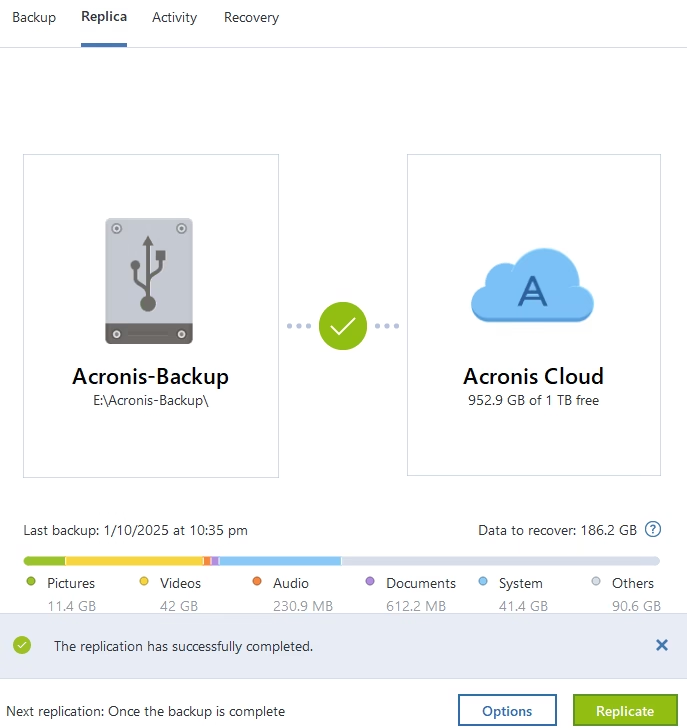
Cloud replication, logged as “SAHAFIUN-PC-replica,” integrates with Acronis’ online archives. The 10/02/2025 operation updated archives without errors but took over two hours, likely due to uploading changes or syncing metadata. This ensures robust offsite storage, aligning with data redundancy best practices. However, the duration suggests scheduling it for off-peak hours on high-bandwidth connections to avoid workflow disruptions.
Insights from Active Protection Service: Monitoring and Implications
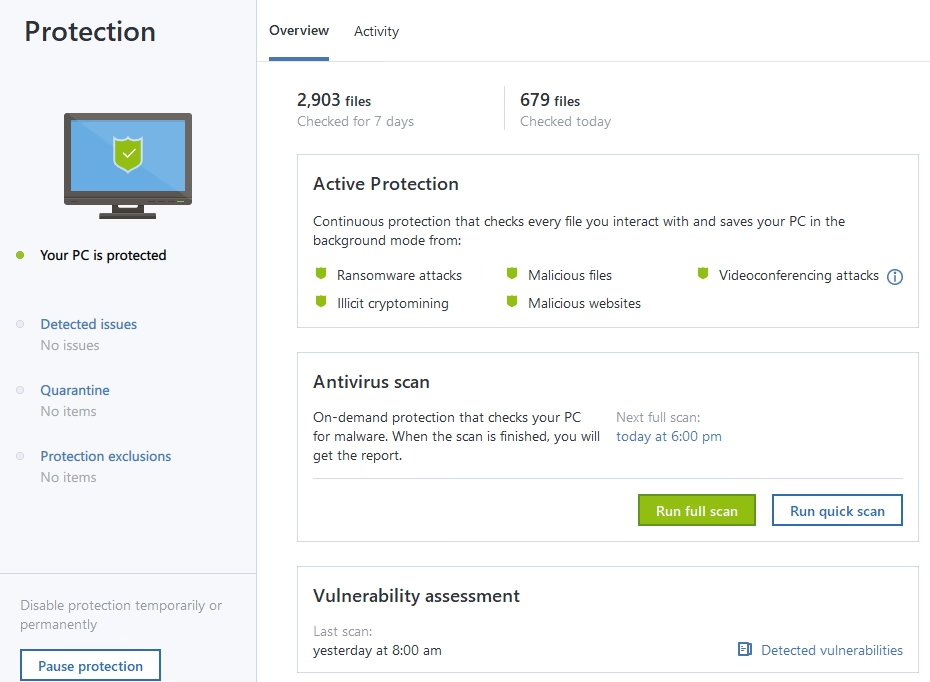
The Active Protection Service log, spanning 10/01/2025 at 10:29:29 PM to 10/02/2025 at 9:28:47 PM (nearly 23 hours), focuses on real-time ransomware defense and unauthorized change prevention. While file indexing times aren’t explicitly logged, process trust assignments (e.g., for svchost.exe) occur in milliseconds, and self-defense mechanisms protect registry keys instantly at startup. Over a thousand process information entries indicate minimal overhead. Implications: This service offers proactive, low-impact security, indexing system elements on the fly to reduce vulnerability; however, continuous operation may strain lower-end hardware if not optimized.
Insights from Notarization: Security and Efficiency
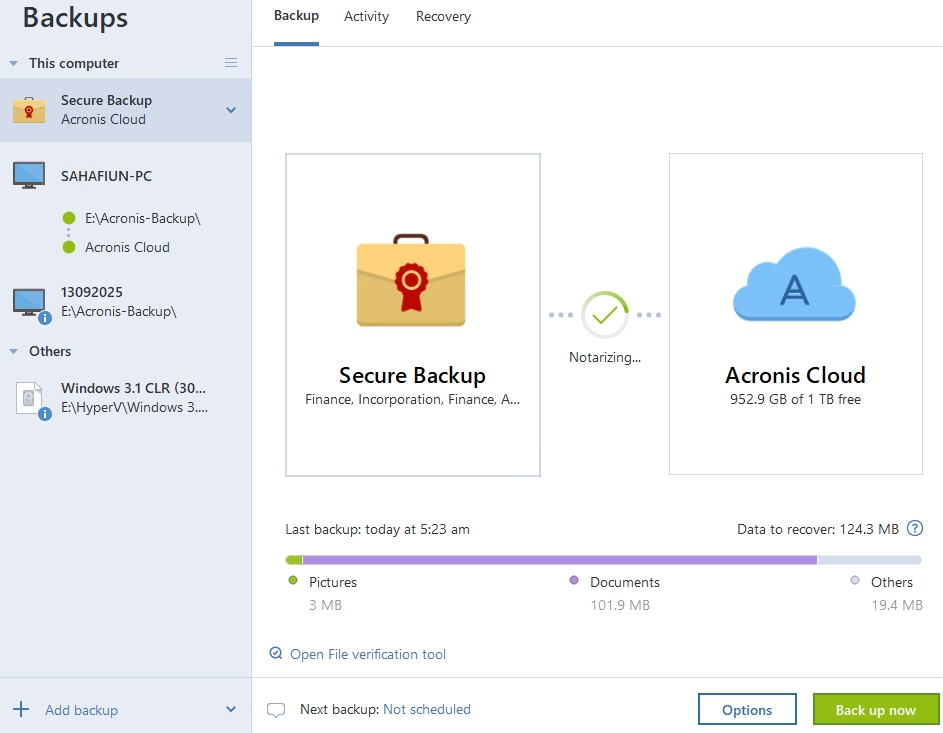
The notarization log from 10/02/2025 and 03/10/2025 shows rapid enqueuing of files for blockchain verification, with operations completing in 1-2 minutes. Files were notarized, ensuring tamper-proof integrity. This is valuable for legal or financial documents but relies on cloud connectivity, which could be a limitation in low-bandwidth environments.
Practical Suggestions for Daily Use
For everyday users, Acronis integrates easily into routines with these tips:
- Schedule daily automated backups to a local drive for quick access, with weekly cloud replication for offsite safety.
- Adopt the 3-2-1 backup rule: Keep three data copies on two different media (e.g., HDD and SSD), with one offsite via cloud for reliability.
- Use the grandfather-father-son rotation: Maintain monthly “grandfather” full backups, weekly “father” increments, and daily “son” differentials, configurable in Acronis for balanced storage and recovery options.
- Back up only critical files like documents and photos to optimize performance, and check logs monthly for issues.
Concluding this review of Acronis True Image 2026, it can be seen that it delivers a reliable backup solution with robust validation and notarization features, ideal for secure data management. While cloud replication is time-intensive, its efficiency and security make it a strong choice for personal use. By applying backup rotation scheme, that incorporates compression, encryption, and de-duplication, it should ensure a balanced state of mind in regard to data availability and security.


![[SPONSORED POST] CorelDRAW® Graphics Suite 2023: The Ultimate Design Toolkit for Professionals](https://sahafiun.com/wp-content/uploads/2023/03/logo-corel-dk-768x229.png)